The App That Does Progressive Overload for You
Progress is a free workout tracker that raises your weights, reps and sets automatically. For each exercise you choose what goes up and by how much. Complete every set and Progress increases it for next time; miss one and it holds steady until you hit it.
What is progressive overload?
Progressive overload means gradually asking more of your muscles over time, by lifting a little more weight, doing more reps, or doing more sets. Your body adapts to whatever you regularly do, so once a workout gets easy it stops making you stronger. Adding a small amount, consistently, is the most reliable way to keep building strength and muscle.
The hard part isn't the idea, it's the bookkeeping: remembering last week's numbers for every exercise, deciding whether you earned an increase, and doing the maths. That's what Progress automates. For the full picture, with examples, read our guide to progressive overload.
How it works in Progress
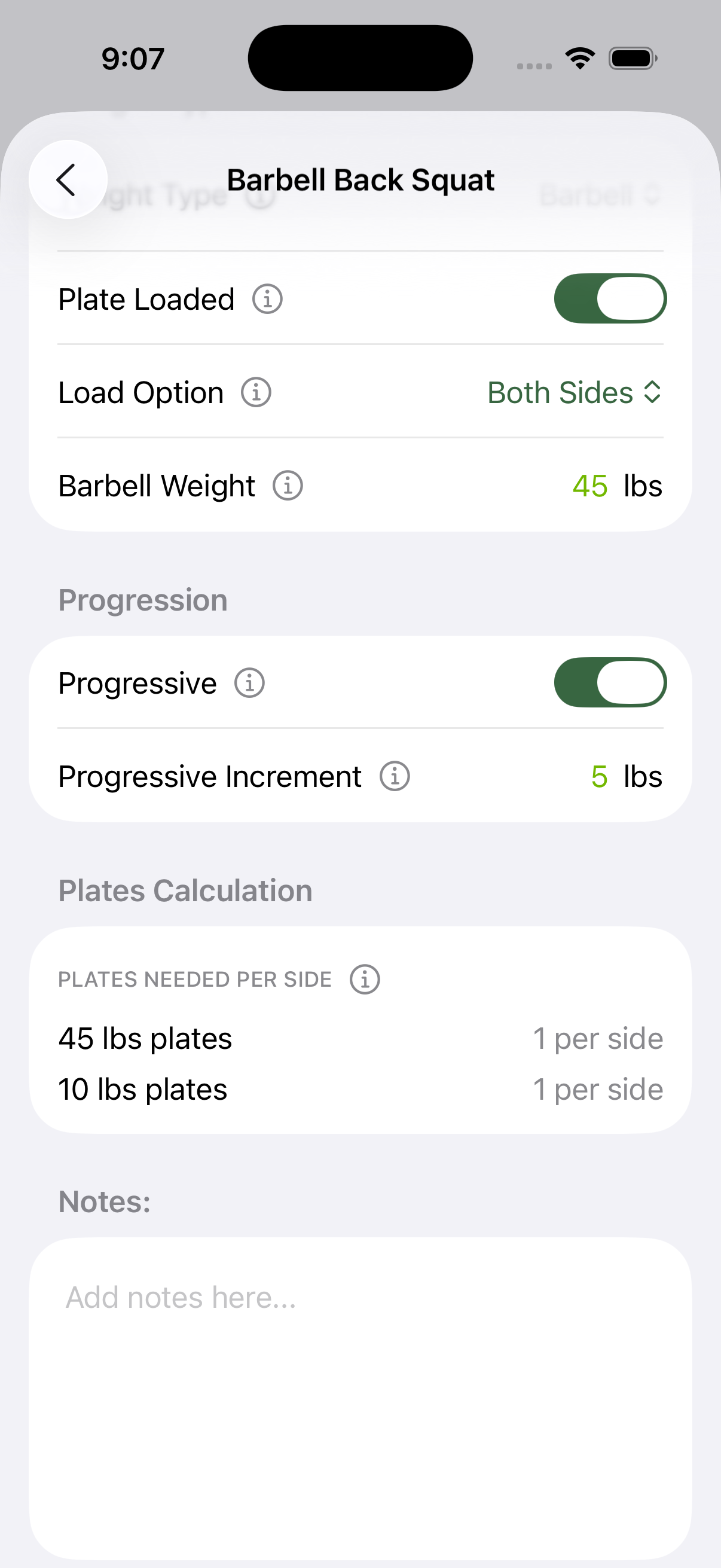
- Choose what goes up. On any exercise, turn on progression for the weight (for example +5 lb on squats, +2.5 lb on curls, or the equivalent in kg), the reps (1 to 10 more each time), the sets (1 to 5 more), or any combination.
- Train. Tap each set as done, or as failed if you didn't hit the target.
- Finish your workout. For every exercise where you completed all sets, Progress applies the increases, and your workout summary shows exactly what went up.
- Miss a set? Nothing changes for that exercise. You repeat the same target next time until you own it.
Programs from the AI program builder and the free program library come with progression already set up for each exercise, so you can start lifting straight away.
Works with every kind of exercise
- Pyramid sets: every set's weight and reps go up together, so the whole pyramid moves up.
- Supersets: each exercise progresses on its own, and extra sets are added to the superset once every exercise in it succeeds.
- Assisted exercises like assisted pull-ups and dips: the assistance goes down instead, so the exercise gets harder.
- Bodyweight exercises: add reps or sets instead of weight.
- Plate-loaded exercises: the plate calculator updates to the new weight, so you know exactly what to load.
Choosing your increments
- Big lower-body lifts (squat, deadlift, leg press): +5 lb (2.5 kg) a session works well for beginners.
- Upper-body presses and rows: +2.5 to 5 lb (1 to 2.5 kg).
- Small isolation exercises (curls, lateral raises): progress reps first, since small dumbbell jumps are a big percentage of the weight.
- Bodyweight moves: +1 rep a session.
- When you stall: if you miss the same target for two or three sessions, lower the weight by about 10% and build back up. You can edit any weight at any time.
Questions
Is there an app that automatically increases weight?
Yes. Progress, a free workout tracker for iPhone and Android, automatically raises the weight on each exercise after every session where you complete all your sets, by the increment you choose. It can also add reps and sets automatically.
How much should I increase the weight each week?
Beginners can often add 5 lb (2.5 kg) a session to lower-body lifts and 2.5 to 5 lb (1 to 2.5 kg) to upper-body lifts. As you get stronger, increases come more slowly, so switch to adding reps first, or smaller jumps.
Can progressive overload be done with reps instead of weight?
Yes. Adding reps or sets is progressive overload too, and it's the best option for bodyweight exercises and light dumbbells. In Progress you can progress the reps, sets or weight of any exercise, or a combination.
Is Progress free?
Yes. Progress is free on iPhone, Apple Watch, Android and Wear OS, with no ads and no subscription.
Switching apps? See how Progress compares with Strong, Hevy and Fitbod.
Get Progress free
Free on iPhone, Apple Watch, Android and Wear OS. No ads, no subscription.