A Workout Tracker with a Plate Calculator on Every Set
Progress is a free workout tracker for iPhone and Android with a plate calculator built in. On every plate-loaded exercise it shows exactly which plates to put on each side for your target weight, using the plates you actually own, in pounds or kilograms.
How it works
- Set up your plates once. Tell Progress which plates you have, from 55 lb down to 1.25 lb (or kilogram plates), and how many of each.
- Set the bar or base weight on each exercise, such as a 45 lb barbell or the starting weight of a machine.
- Choose how it loads: both sides, like a barbell or most plate-loaded machines, or a single stack, like a T-bar row or landmine.
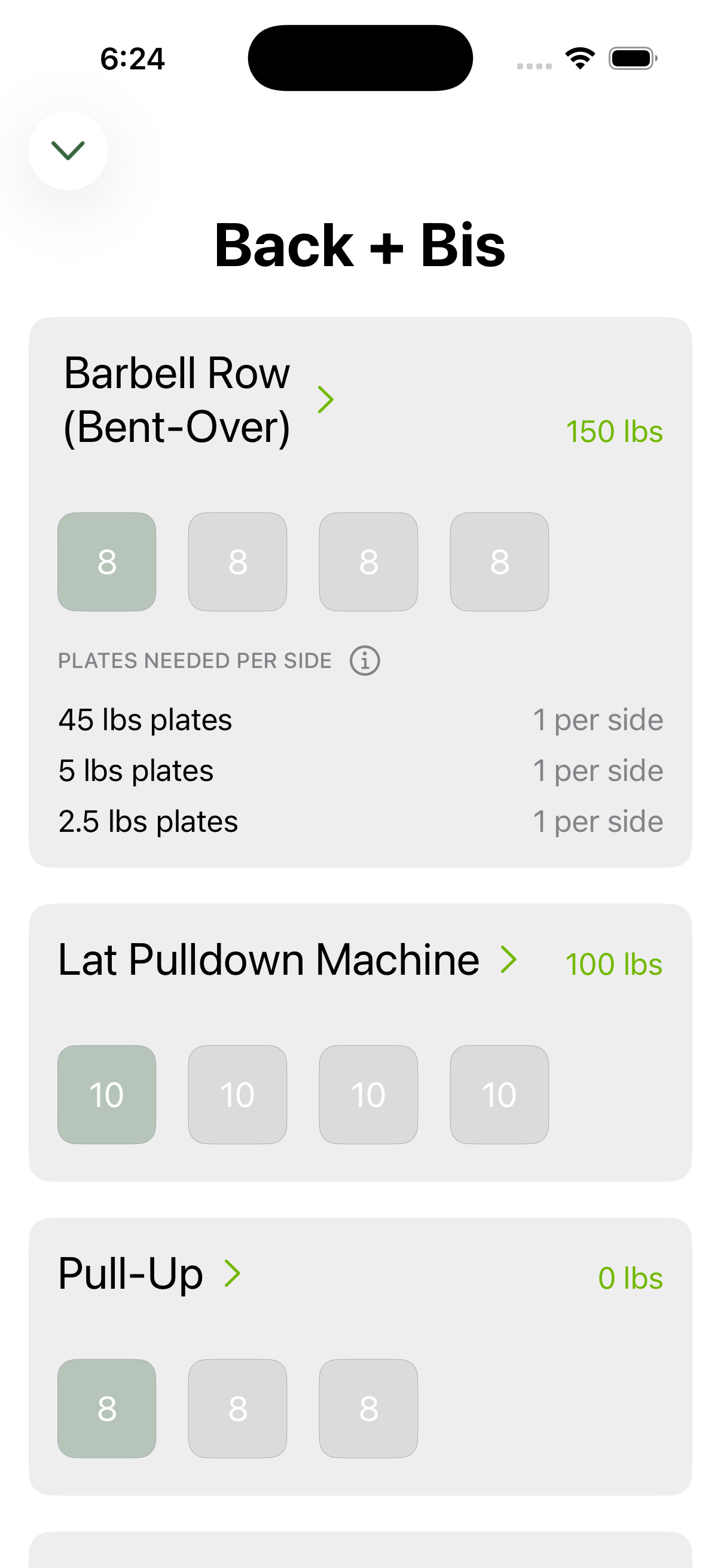
- Lift. During your workout, each exercise shows the plates needed per side for its weight, and updates for every set of a pyramid.
Why it's built into the tracker
Separate plate calculator apps make you type the weight in mid-workout. In Progress, the calculator already knows your target, because the app sets it. When automatic progressive overload raises your squat by 5 lb after a good session, next time the calculator simply shows the new plates.
Questions
Is there a workout app with a plate calculator?
Yes. Progress is a free workout tracker for iPhone and Android with a plate calculator built into every plate-loaded exercise. It shows the plates to load on each side for every set, using the plates you own.
Does the plate calculator work in kilograms?
Yes. Progress works in pounds or kilograms, and the plate calculator uses the matching plates.
Does it work for machines as well as barbells?
Yes. Set the machine's starting weight and whether plates go on both sides or a single stack, and it calculates the plates the same way.
Is Progress free?
Yes. Progress is free on iPhone, Apple Watch, Android and Wear OS, with no ads and no subscription.
Switching apps? See how Progress compares with Strong, Hevy and Fitbod.
Get Progress free
Free on iPhone, Apple Watch, Android and Wear OS. No ads, no subscription.